
The Road to 1.0 is a series of articles chronicling the journey of this mod from conception to full 1.0 release.
In the beginning, there was a fantasy mod. It has users and it had fantasy leagues (that all contained teams). Each league is appointed a commissioner when it is created (by default the user creating it). But how, then, do other users take ownership of the remaining teams?
From 1.0 up through 1.0.3, the only way was for the league commissioner to go into the League Administration page and send manual invitations to anyone they wanted to join the league via the team editor page. Those receiving invites could choose to accept and take ownership of the team or decline. Anyone who was not yet a member of the site would be required to sign up first and then they were free to participate.
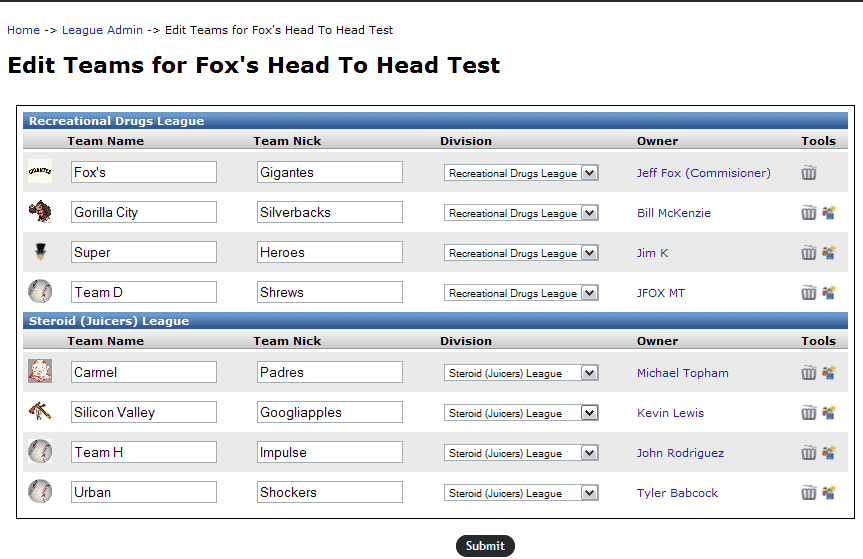
But what if someone was interested in joining a public (or better, yet private) league that had openings but was not friendly with the commissioner enough to score an invite?
Version 1.0.5 solves this issue with a brand new feature, the public team finder and request pages.
League Menu Changes

One big change that is easily noticed in 1.0.5 is the new “Leagues” item in the fantasy menu, which has changed from a static link to a drop down menu. The menu contains two links:
- Search Leagues – This brings you to the existing Leagues search page and displays all leagues that are registered on the fantasy site (public and private, active or inactive)
- Join a League – Opens the new League Openings page
Join a League Page
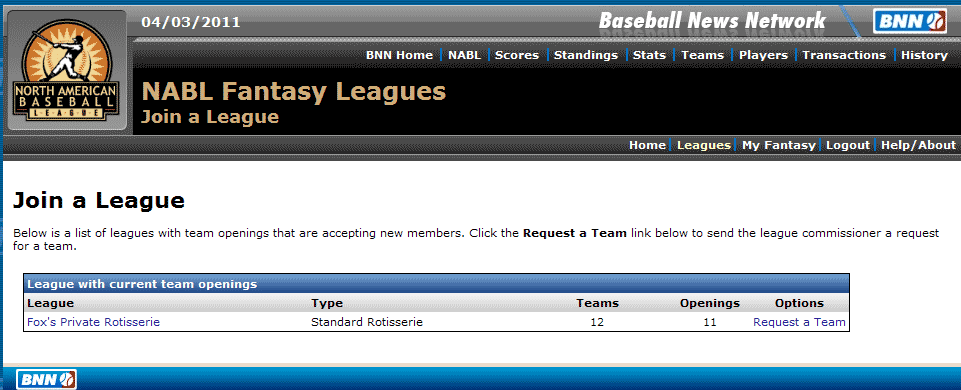
New to 1.0.5, this page is only available to registered users who are signed into the site and will display leagues that have:
- One or more team openings
- Indicated in their league settings that they wish to receive public team requests
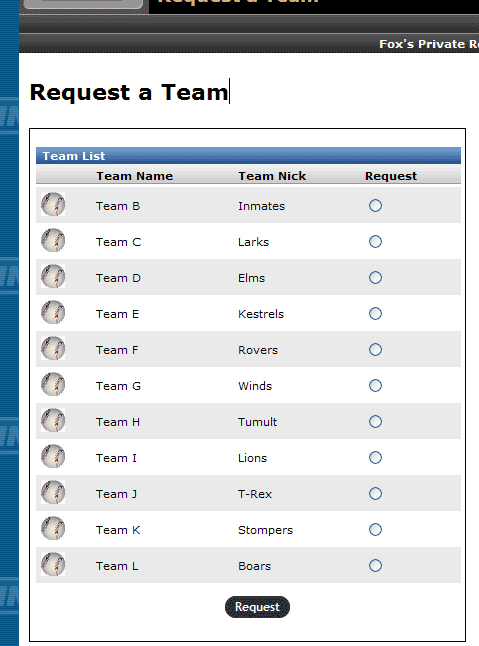
Clicking “Request a team” for any league listed here brings the user to a page listing the open teams and lets them choose which team to put in a request for and submit it to the league commissioner. Once submitted, the commissioner can accept or decline the request.
New Invite/Request Status Tools
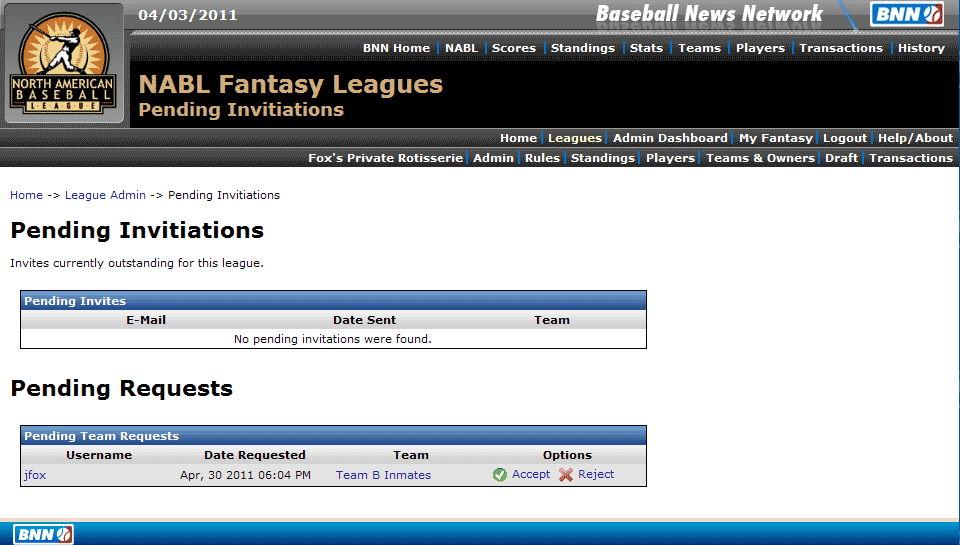
Commissioners have had the ability to view their pending team invitations since version 1.0 in the League Administration panel. In 1.0.5 this has been expanded to now also display pending public team requests. Commissioners can accept or deny request right from this list.
Users also have a way to track their team requests and initiation. On the main user profile page, a new toolbox displays when the user has outstanding requests or invitations. The same as commissioners, they can accept or decline invitations or retract team requests if they so choose.
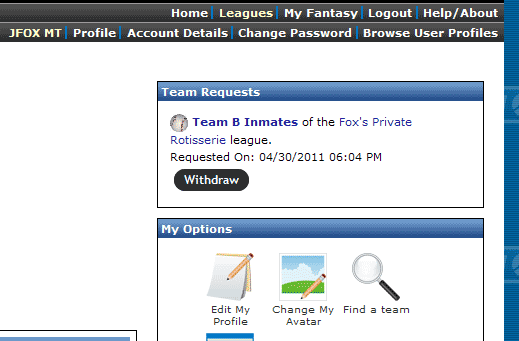
With 1.0.5, finding a team and taking control of the options to join a league have gotten more robust. It’s the best time yet to download and try the mod out for yourself.

2 Comments